
· 10 min read
Updated
From phone tag to a booking app
How an Excel sheet to stop my coworkers counting by hand grew into the app that now runs the Moose Jaw Food Bank: bookings, volunteers, warehouse, deliveries, timesheets and more.
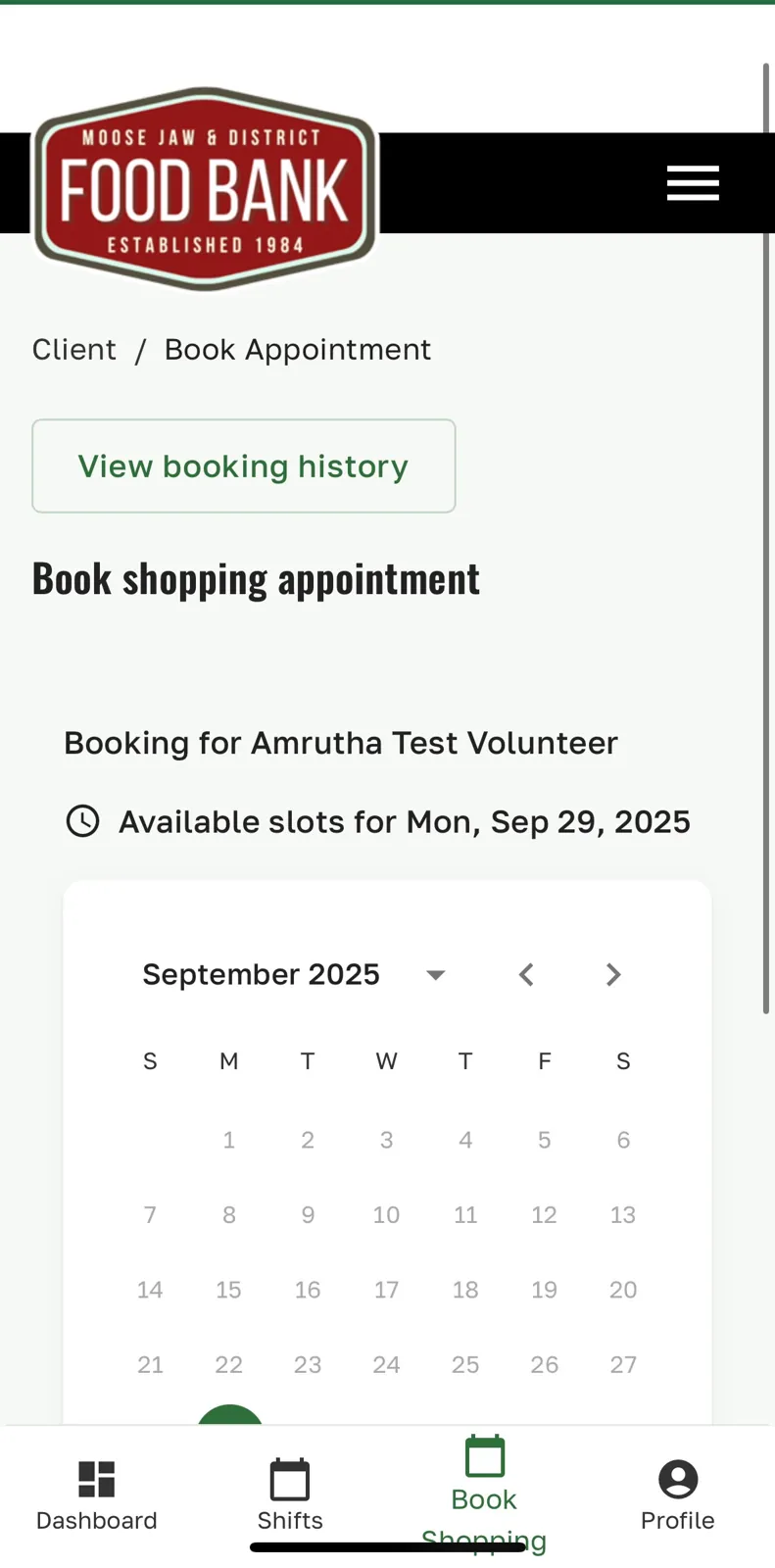
The booking app was the first thing I built for the Moose Jaw & District Food Bank, and everything else grew out of it. It started because of the job I was hired to do.
Phone tag, all day
Every part of the food bank’s process was manual. People called to make an appointment and left a voicemail. Staff called every one of them back to book a time. If someone didn’t pick up, they had to be called again, and again. Every reschedule or cancellation meant more calls. It was phone tag, all day, every day.
That was what I was hired for, and I quickly came to hate the system. Not the people, the system. It took up hours that should have gone to the people walking through the door.
I also saw the monthly reporting numbers being written down on paper, and my sweet coworkers sitting down to count large numbers by hand: visits, adults, children, pounds of food. They stressed about getting every one of them right.
It started with a spreadsheet
The first fix wasn’t an app at all. I made an Excel sheet where I could record calls, and staff could record visit details, and it added up the counts of adults, children, weights and everything else automatically. No more counting by hand at the end of the month.
That small win showed what was possible. The next step was to stop the phone tag itself, by letting people book their own visits.
From a booking portal to the whole food bank
I built the first version of a client booking portal. Clients could pick a time themselves, and staff could see who had booked. The pantry schedule took shape around it. Then, one by one, the other paper and phone processes moved in:
- FirstAn Excel sheet: I logged calls, staff logged visits, and it added up adults, children and weights by itself.
- August 2025Building the first client booking portal, showing staff who had booked, and the pantry schedule around it, along with volunteer shift booking, warehouse records and deliveries.
- September 2, 2025The app goes live.
- September 2025Staff timesheets and Sunshine bag tracking.
- December 2025The Android app on Google Play, and phone booking for people without internet, with text booking added in January 2026.
- March 2026The iOS app on the App Store, and eligibility reviews.
What it does today
For clients:
- Book, reschedule or cancel a pantry visit online, by phone or by text, any time of day.
- See upcoming appointments and visit history.
- Use it in their own language.
For volunteers:
- Book and manage their own shifts, and see their shift history.
For staff, all in one place:
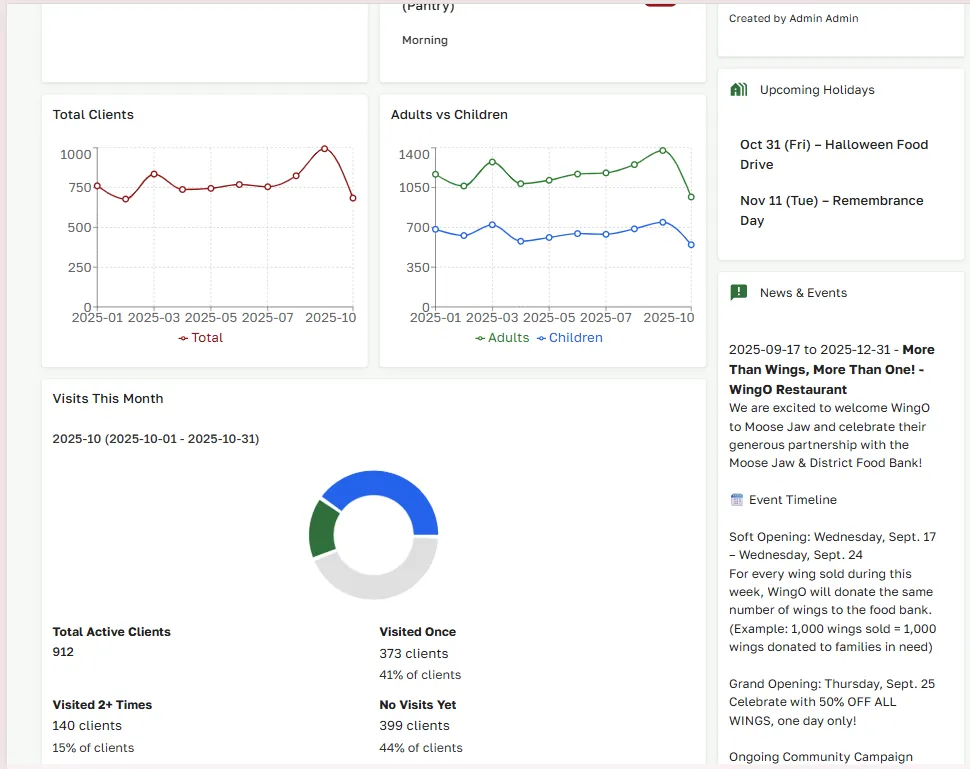
- The pantry schedule, visits, and the counts and weights for every visit, added up automatically.
- Eligibility reviews.
- Sunshine bag tracking.
- Volunteer scheduling.
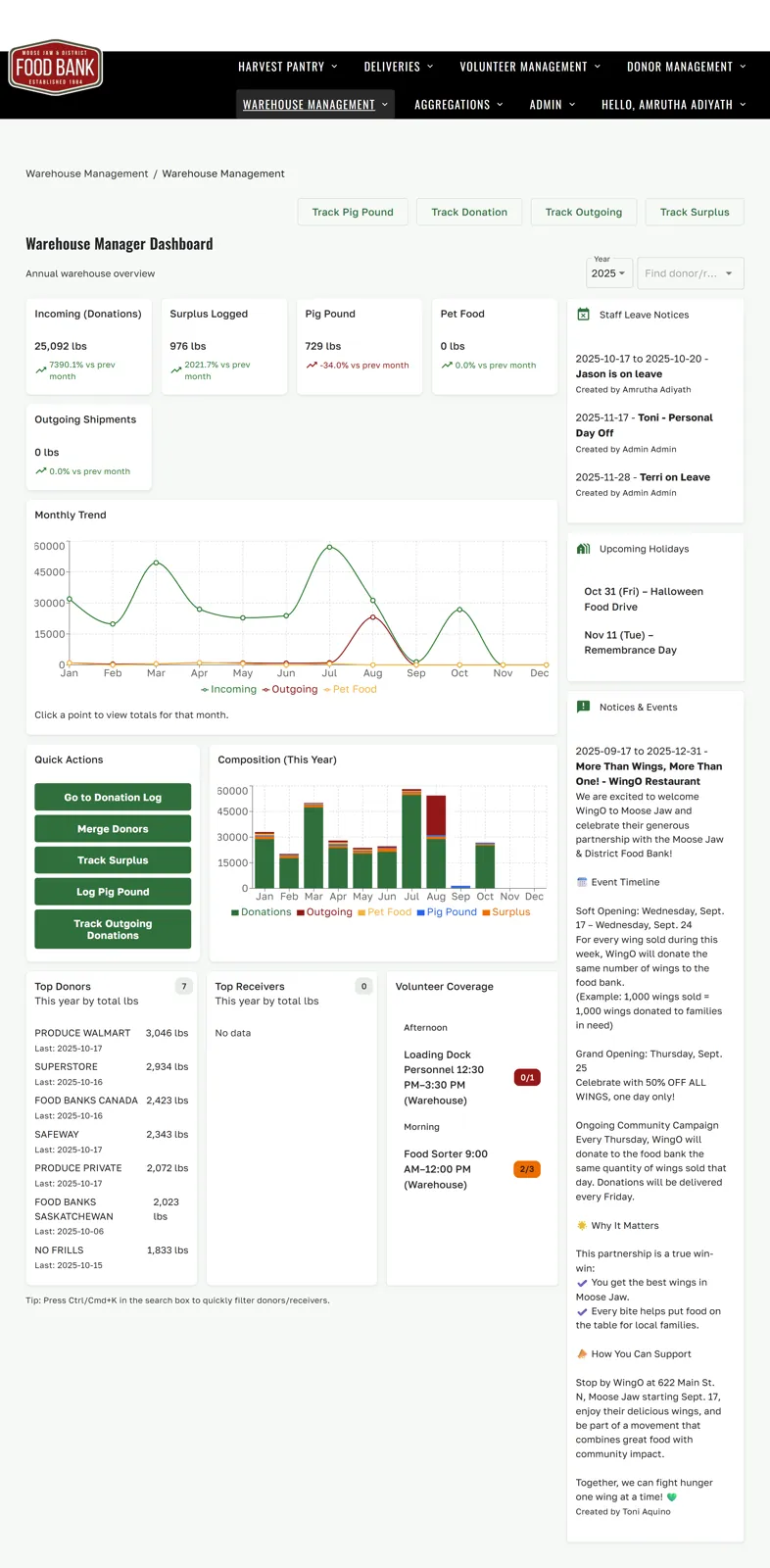
- Warehouse food records and donations.
- Food deliveries.
- Staff timesheets and leave requests.
- Reports and trends, with tables that export straight to Excel.
The hard parts
Building for people who aren’t technical at all
Most of the people using this app are not “tech people”. Some clients had never booked anything online. Some volunteers and staff were more comfortable with paper than with screens. If the app confused anyone, they would go straight back to calling, and the phone tag would start again. So a lot of the work went into small things that stop people getting stuck:
- Sign in with whatever you remember. Clients can use their client ID or their email address.
- Helpful wrong-password messages. Instead of just “incorrect”, the app reminds people that passwords are case-sensitive, to check Caps Lock and stray spaces, and links straight to a reset. After a few failed tries, it suggests resetting rather than guessing.
- Resets that don’t backfire. Reset emails remind people to check their spam folder, and their old password keeps working until the new one is set, so nobody locks themselves out halfway.
- No lost forms. Pop-up windows only close with their X button, so a stray tap outside doesn’t throw away something half filled in.
- Help written for each person, with separate guides for clients, volunteers, staff and agencies, and the app available in other languages.
- Getting online without starting over. Existing clients can ask for online access with their client ID, and staff approve it and email them a secure setup link.
- And a way out of the app entirely: anyone who can’t or won’t use it can book by phone or text.
Nobody should have to remember a password
A forgotten password is one of the easiest ways to lose someone who is new to apps, and every lost user meant another phone call. So from the first month after launch, I worked on taking passwords out of the picture:
- Fingerprint and face sign-in in the Android and iOS apps. Sign in once with a password, and after that a touch or a glance opens the app, with the phone’s PIN as a backup.
- Passkeys in the browser, so people on a computer or phone browser can sign in with their device’s fingerprint, face or screen lock instead of typing a password. They work for clients, volunteers, staff and agencies.
- Safe on shared phones. Fingerprint sign-in is tied to one account per device. If someone else in the household signs in on the same phone, the app asks before switching, and never swaps accounts silently.
What it costs to run
A food bank can’t take on a hosting bill that jumps around from month to month. So the app runs on AWS Lightsail, which charges a fixed monthly price:
| What | Per month |
|---|---|
| Managed PostgreSQL database (40 GB) | $15 |
| Server that runs the app (2 GB memory) | $12 |
| Storage bucket for uploaded files (250 GB) | $5 |
| Total | $32 USD |
That same fixed price covers the booking app, the API behind the Android and iOS apps and the phone line, and since October 2026 the public website too, at no extra cost.
What changed
The app went live on . The voicemail inbox stopped being the centre of the day. Clients book themselves, the schedule fills itself, and the numbers that used to take an afternoon of careful counting are just there. Staff get to spend that time on the people in front of them.
Building this from the inside, as someone who did the phone calls and saw the paper, is why it fits the way the food bank actually works. Every feature started as a real frustration someone had on a real day.
For the technically curious: how it’s built
- The app is a React single-page app backed by a Node.js and Express API and a PostgreSQL database, running on an AWS Lightsail server at app.mjfoodbank.org.
- One backend for everything. The web app, the Android and iOS apps, and the phone and text line all talk to the same API, so a booking made by phone shows up in the staff schedule instantly, and the same booking rules apply everywhere.
- Passwordless sign-in. Browser passkeys use WebAuthn and go through the same inactive-account and staff password-expiry checks as password login. In the mobile apps, credentials sit in the device’s secure storage and are unlocked by the biometric prompt, which allows the device PIN or passcode as a fallback.
- Sessions that don’t trip people up. Short-lived access tokens with refresh tokens keep returning users signed in; refresh and login requests are serialized so an old refresh can’t wipe a newer login, and the login rate limit only counts rejected credentials, so a server hiccup never eats into someone’s attempts.
- Exports use a reusable Excel table export, so any staff table can go straight into the spreadsheets funders and the board expect.
- Built to be maintained. The repo carries feature and bug trackers, setup and architecture guides, and onboarding docs for volunteer programmers, plus a critical test suite for the booking paths.
- What’s next. A rebuilt version is under way in a monorepo shared with the new public website: React 19, Vite and Mantine on the front, Hono with Zod and Kysely on PostgreSQL behind it, deployed as Docker images to the same Lightsail server.
If your organization still runs on voicemails, paper and end-of-month counting, get in touch. It might start with a spreadsheet too.
— Ami