
· 7 min read
Moving the Moose Jaw Food Bank off WordPress
Why I replaced mjfoodbank.org’s WordPress site with a custom one that works on every screen, is easy to read, and connects straight into the food bank’s booking app.
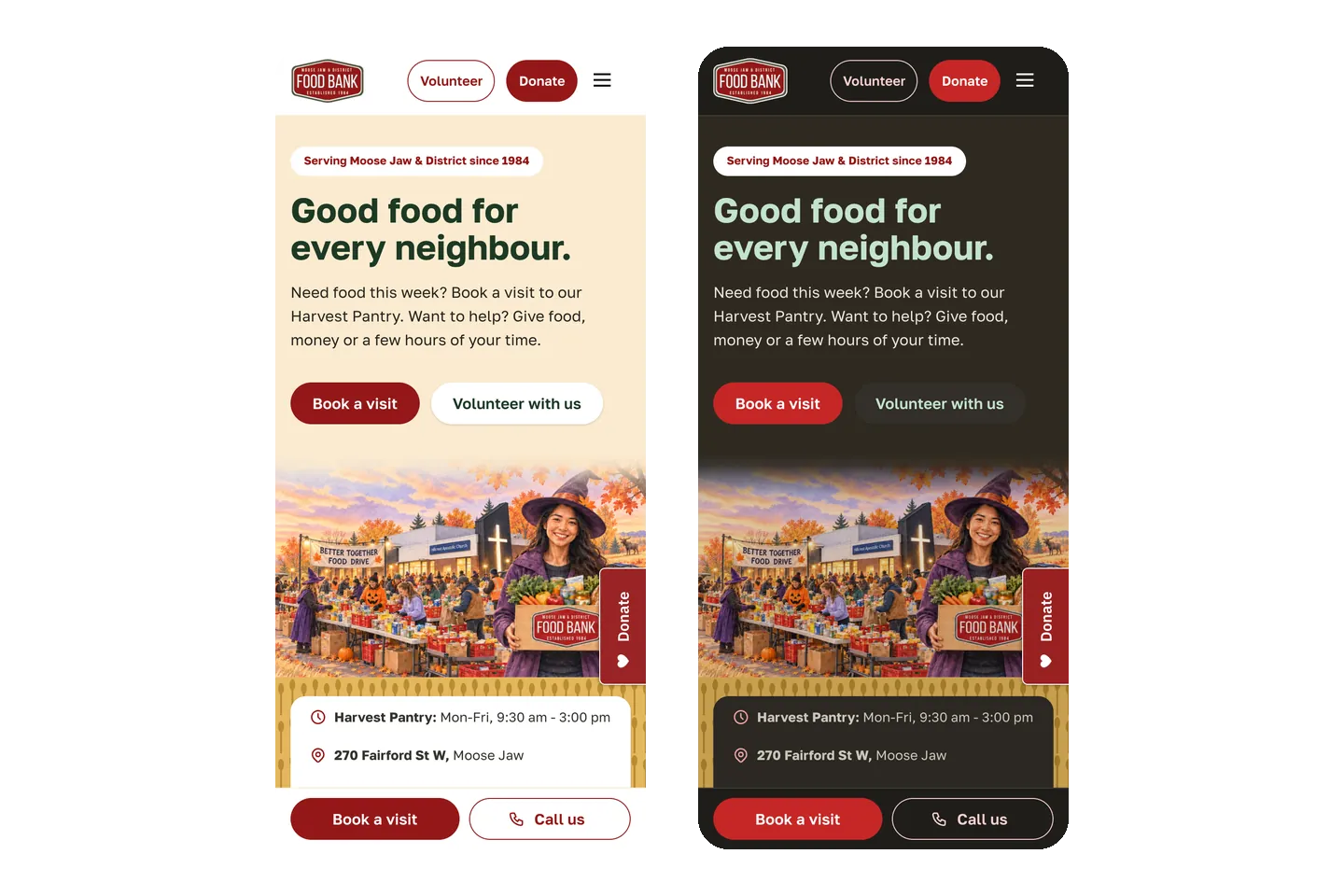
The Moose Jaw & District Food Bank has been feeding neighbours since 1984. By the time I started on their public website, I had already built the app their clients use to book visits and their staff use to run the place, along with the Android and iOS app and a phone and text line for people without internet. The website was the last piece, and the one most people see first.
What wasn’t working
The old mjfoodbank.org was a WordPress site, and it was showing its limits:
- It didn’t adapt well to different screens. Most people looking for food help find the food bank on their phone, and that is exactly where the old site struggled.
- It was hard to read. The fonts were heavy and chunky, which made longer text tiring, especially for older visitors or anyone reading in a second language.
- It was more than the food bank needed. The site only needed a handful of customizations. Carrying a full WordPress install with a theme, plugins, plugin updates and the costs that come with them didn’t make sense for that.
Why custom instead of another template
The deciding reason was the app. The food bank already had its own system where people log in to book appointments and staff manage visits, volunteers, deliveries and donations. A custom website could be part of that system instead of sitting next to it:
- “Book a visit” goes straight into the booking app, and volunteers can log in from the Volunteer page.
- Staff update the website from the app they already use. For example, the homepage picture changes with the seasons, and staff can preview it or swap in their own.
- Forms feed the same system. The delivery application suggests real Saskatchewan addresses as people type, so fewer mistakes reach staff.
- The website and app look and feel like one place, because they share the same design.
It also costs nothing extra to run. The booking app already lives on AWS Lightsail, which charges a fixed monthly price for the server no matter how much runs on it. The new website sits on that same server, next to the app.
Hosting the new website costs $0 extra: no new server, no theme, and no plugin licences.
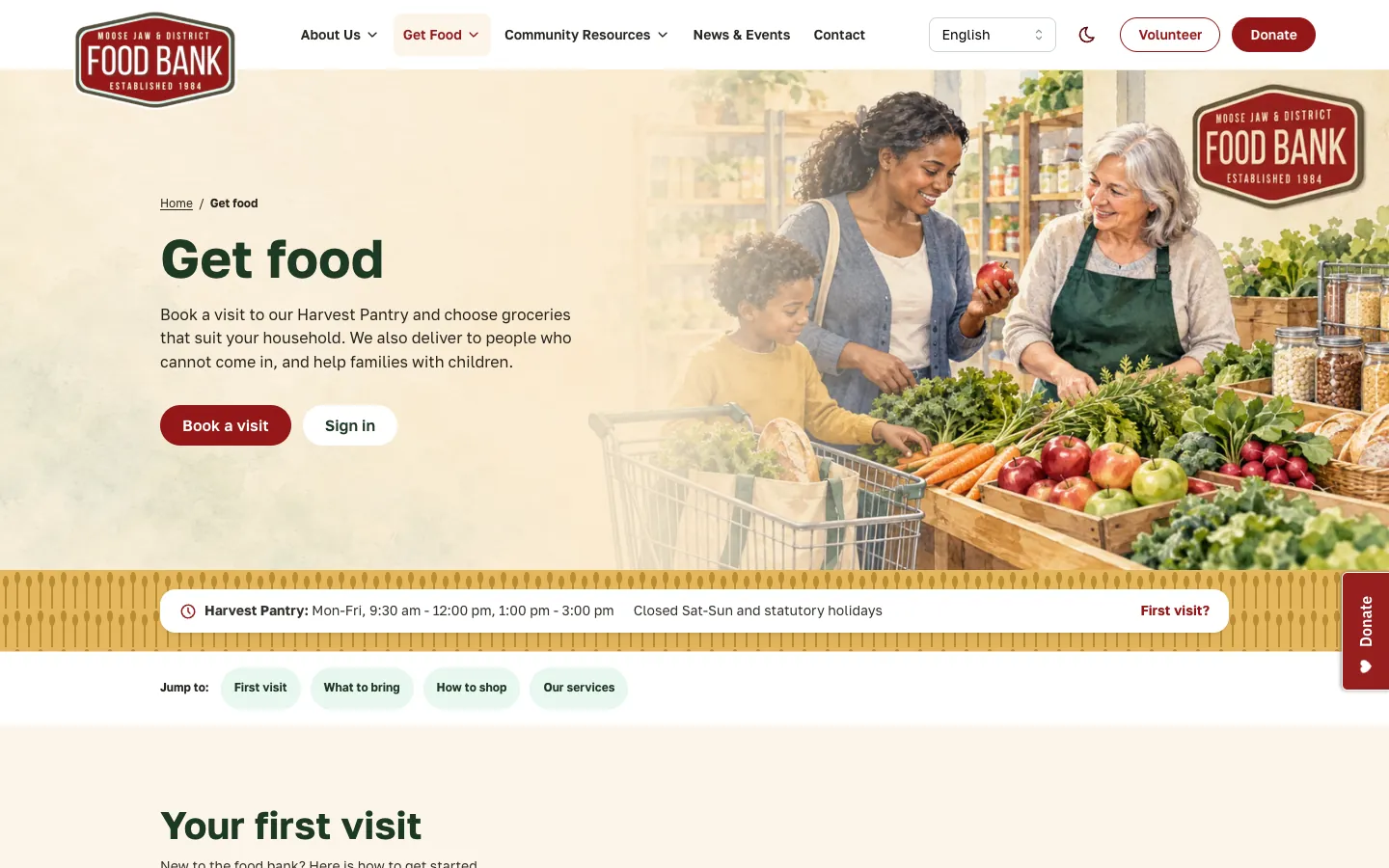
What the new site does
- Works on any screen, from a small phone to a wide desktop, in light or dark mode.
- Easy to read, with a clean, open font (Golos Text) and plenty of space.
- Speaks many languages. A language picker translates every page, including right-to-left languages like Arabic, and English readers never load the translator at all.
- Get food, volunteer and give pages that each lead to one clear next step.
- A community resources finder that lists free and low-cost help near Moose Jaw (meals, housing, health, child care and more) from 211 Saskatchewan, plus urgent contacts.
- Help finding a food bank for people outside Moose Jaw, plus pages for eligibility reviews, deliveries, news, FAQs, governance and accessibility.
- Watercolour artwork of the real food bank, drawn from photos of the building and community events like the Better Together Food Drive at Hillcrest Church. The homepage picture changes through the year.
How I built it
- Started from what people actually do. Most visitors come to get food, volunteer or give, so those became the main paths, each one simple page with one clear next step.
- Designed it to match the app. Same colours, same type, same components, so moving from the website into the booking app doesn’t feel like changing places.
- Built it page by page. I started on October 16, 2026 with the homepage, then Ways to give, Volunteer and Contact, and kept going from there.
- Tested everything, every time. Every page is checked automatically on desktop and phone, in two browser engines, in light and dark mode, including accessibility checks and what happens when an image fails to load.
- Kept old links working. Addresses from the WordPress site redirect to their new pages, so bookmarks and search results still land in the right place.
The new mjfoodbank.org went live on , six days after I started.
For the technically curious: how it’s built
| Part | What it uses |
|---|---|
| Website | Next.js 16 (App Router), pages rendered ahead of time and refreshed hourly |
| Look and feel | Mantine 9, in a theme package shared with the booking app; Golos Text font |
| Booking app + API | React and Vite; Hono API with Zod schemas, Kysely on PostgreSQL |
| Code layout | One pnpm + Turborepo monorepo for the website, app, API and shared code |
| Hosting | Docker images on AWS Lightsail behind Caddy (HTTPS), deployed by GitHub Actions |
| Testing | Vitest, Playwright in Chromium and WebKit on desktop and phone, axe accessibility checks |
- Static pages that still change. Pages are rendered ahead of time and refreshed every hour. When staff change website content in the app, the API calls the site’s revalidate endpoint so the change shows right away.
- One codebase, shared pieces. The website, booking app and API live in one monorepo. The UI theme and components come from a shared package, and Zod schemas in a shared package keep the website, app and API agreeing on the shape of every piece of data.
- Translation without slowing anyone down. Google’s website translator only loads after someone picks a language other than English, so English pages stay fully static and make no third-party requests. The page’s
langand text direction follow the choice. - Community resources come from the 211 Saskatchewan API through the food bank’s own API, filtered to Moose Jaw within 25 km, so no keys reach the browser.
- Images are served as responsive AVIF and WebP with JPEG fallback, with reserved sizes so the page doesn’t jump while they load.
- Deploys at no extra cost. GitHub Actions builds Docker images, publishes them to GitHub’s container registry, and runs them on the existing AWS Lightsail instance next to the API and booking app, with Caddy handling HTTPS. Lightsail is billed at a fixed monthly price per instance, so adding the website container added nothing to the bill.
What changed for the food bank
The food bank now has a website that is easy to read on any phone, speaks the languages of the people it serves, and leads straight into the system staff already use every day. There are no plugins to update, no theme to fight, and nothing that breaks when someone opens it on a small screen.
Visit it at mjfoodbank.org. If you are in Moose Jaw and can spare a few hours, food or money, the Volunteer and Ways to give pages will show you how.
If your organization is on a WordPress site that feels like more than you need, or doesn’t work well on phones, get in touch. Often a small, custom site is simpler and cheaper to look after.
— Ami