
· 7 min read
Updated
Booking a food bank visit by phone or text
Not everyone has a smartphone. How an idea in the shower became an automated phone and text line that books food bank visits, checking every rule live so nobody makes a wasted trip.
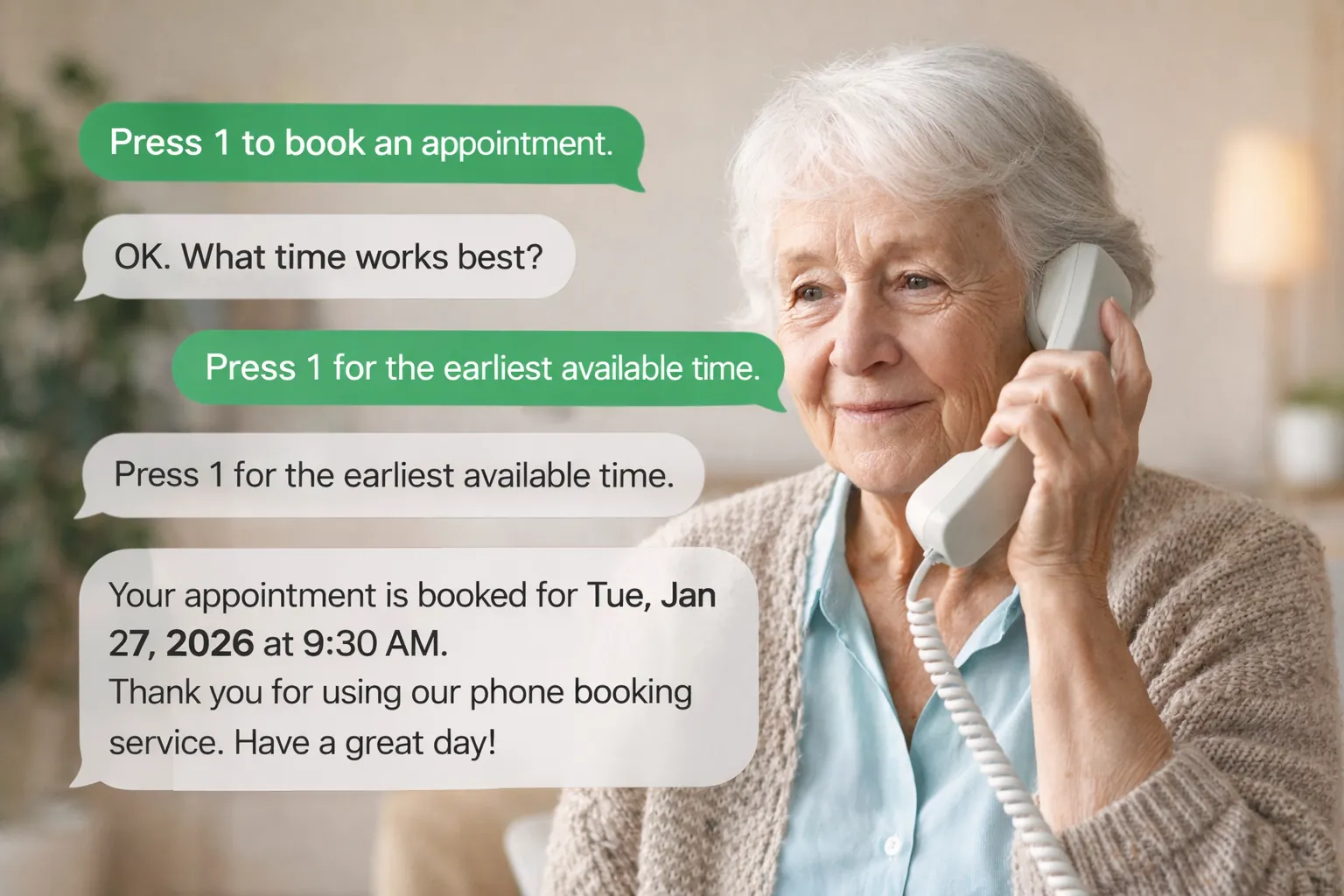
When the booking app launched in September 2025, it ended the phone tag for everyone who could get online. But a food bank serves a lot of people who can’t: no smartphone, no internet at home, no data plan. For them, booking still meant leaving a voicemail and waiting for a call back. That was the challenge I couldn’t stop thinking about.
I wasn’t sure it could work
An automated phone line sounds simple until you look at the rules it has to follow. Our food bank gives each client a set number of visits a month, so every booking has to be checked against the real records before it is made. Otherwise:
- People could book beyond the visits they’re allowed.
- Someone could walk all the way to the food bank, only to be told no when they got there. That is the worst outcome of all.
- People could end up with duplicate appointments, taking spots others need.
The app could check all of this on a screen. Doing the same thing through a phone keypad, with no screen at all, was another matter. I honestly wasn’t sure it was possible.
An idea in the shower
The idea that it might work came to me in the shower, of all places. I started researching, and what I found gave me hope: phone systems can talk to an app’s backend in the middle of a call, look things up, and answer the caller based on what they find. That meant the phone line could use exactly the same rules and the same live records as the app.
Finding someone to run the calls
I wanted to use a Canadian provider, and I was disappointed to find there wasn’t an established one offering this kind of service. So I went with Twilio, which handles both phone calls and text messages and is used by organizations all over the world.
Building it
I built the flows for both calls and texts in Twilio and connected them to the app’s backend. Every important step checks the food bank’s live records: who is calling, how many visits they have used this month, whether they already have an appointment, and which times are actually open.
For the spoken prompts I chose a natural, generative voice rather than a robotic one, so it is easier to understand and feels less like talking to a machine.
Calls went live in December 2025, and texting followed in January 2026.
How a call works
- The caller enters their food bank client ID.
- The line greets them by name and tells them what they need to know: whether they can shop this month, how many times they’ve visited, and any appointment they already have.
- They choose to book, reschedule, cancel, or hear their appointment time.
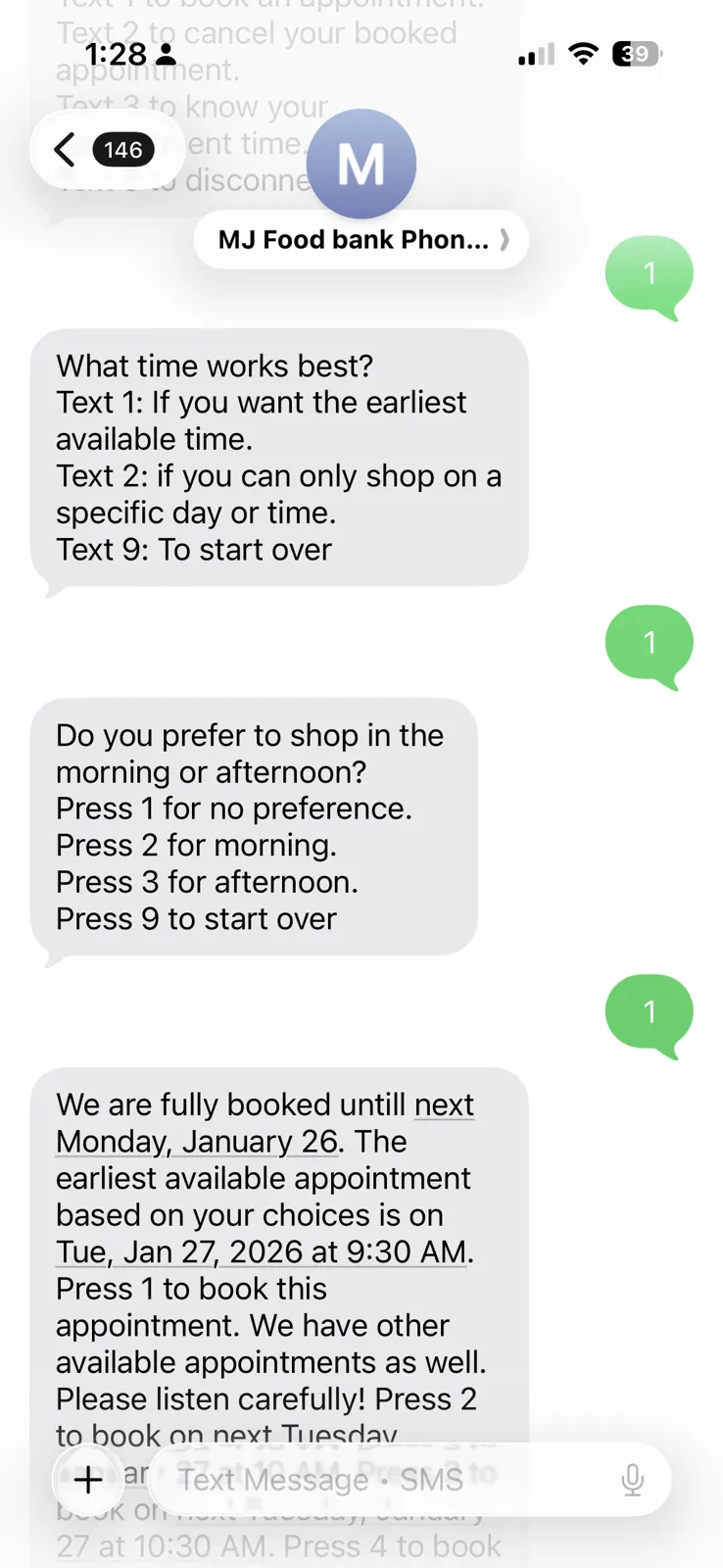
- To book, they say what works: the earliest time available, or a specific weekday, and morning or afternoon.
- The line reads out up to five open times, and they press a number to take one. Done.
If they have already used their visits for the month, the line tells them on the phone, before they make the trip, not at the door. Texting works the same way, one message at a time.
Small details that save calls
- Cancelling asks first. Before cancelling, the line asks if they’re really looking for an earlier time, and points them to reschedule instead, so nobody loses their spot by accident.
- New clients aren’t left hanging. Anyone without a client ID is told exactly where to go to get one.
- Staff can add a temporary message that every caller hears, like a holiday closure.
- Every booking lands in the same schedule as online bookings, so staff see one list no matter how someone booked.
What changed
The people with the fewest options now have the same access as everyone else: book any time, without waiting for a call back, without a smartphone, and without the risk of a wasted trip. And staff spend far less of their day returning voicemails.
And it almost didn’t happen. It started as a “what if” in the shower.
For the technically curious: how it’s built
- Twilio Studio runs the voice and SMS flows from one flow definition: the call path gathers keypad input with a generative Amazon Polly voice, and the text path uses send-and-wait-for-reply steps with a session timeout message.
- The app’s API does the deciding. Studio calls the booking backend over HTTP to look up the client, find the best open slots for their preferences, and book, reschedule, cancel or look up an appointment. Twilio holds no booking logic of its own.
- Usage checked twice. The client lookup returns this month’s usage and whether they can still shop, using the same monthly limit (counted per family) as the app. The limit is checked again for the month of the chosen slot at booking time, and duplicate bookings are rejected by the same booking service the web app uses.
- Short, speakable choices. Slot searches return at most five options, so they can be read aloud and picked with a single key press.
- Secured with signatures. Every request from Twilio is checked against the
X-Twilio-Signatureheader; plain API tokens are not accepted on the phone routes. - Careful input handling. Client IDs are trimmed and validated, unknown IDs and blocked clients get clear spoken answers, and any failure ends with a way to reach staff by email.
If some of the people you serve can’t get online, get in touch. A phone line can reach them.
— Ami